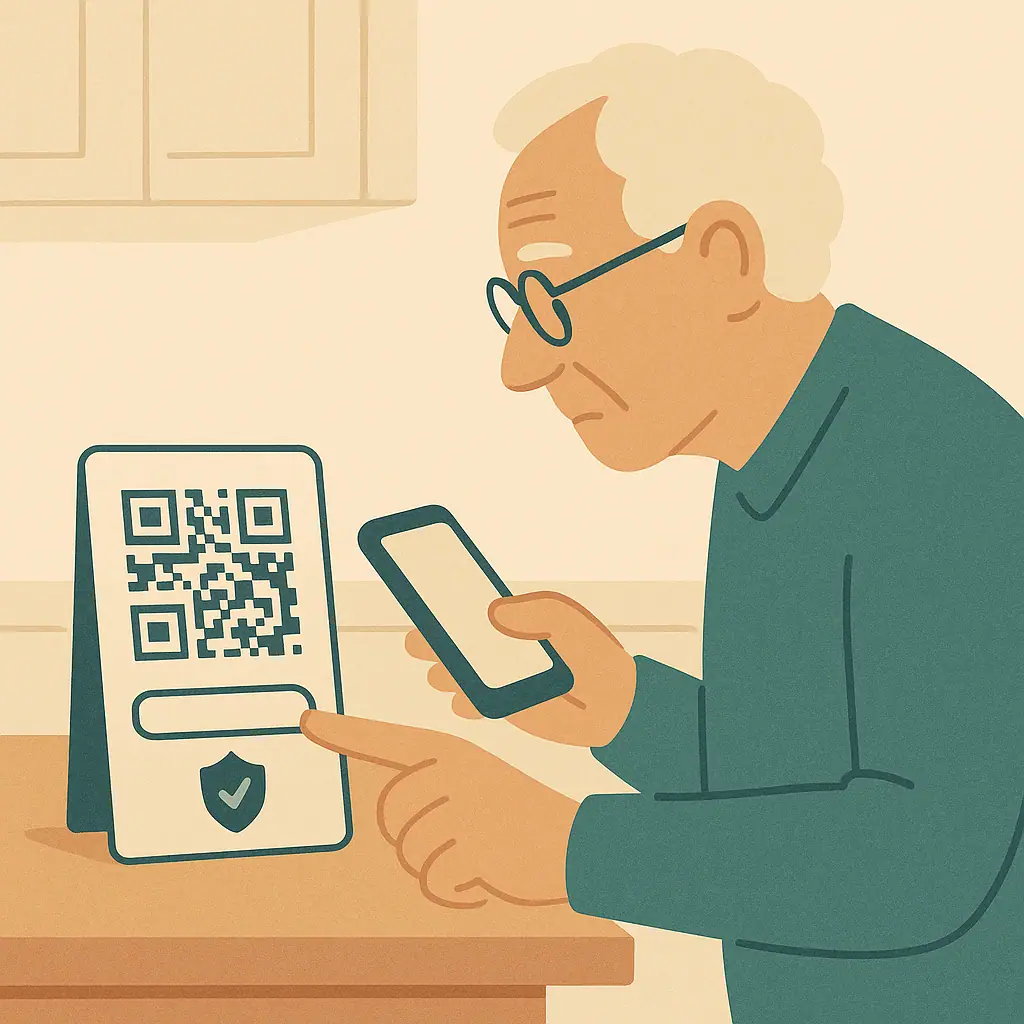
QR codes are useful because they let you open a menu, pay for parking, confirm a package, or visit a website without typing a long address. That convenience is also why scammers like them. A code can hide the real destination until after you scan it.
The Federal Trade Commission warning about QR code scams says scammers can use QR codes to send people to spoofed websites, steal information entered on those pages, or even install malware. That does not mean every QR code is dangerous. It means a short pause before tapping the link is worth the habit.
These QR code scams safety tips are written for everyday moments: a sticker on a parking meter, a code in a restaurant, a mailer, an unexpected package, or a payment page. You do not need to be technical. You just need a few checks before trusting the screen.
Why QR Code Scams Work
A QR code is hard to read with your eyes. You can look at a web address and sometimes notice a misspelling, but a square pattern does not tell you where it leads. Scammers take advantage of that hidden step.
They may place a fake sticker over a real code, include a code in a fake delivery message, or send a mailer that looks official. The page that opens may ask for your card, password, bank login, or personal information. If you want a related scam checklist, the guide on checking an online store before buying uses the same calm verification habit.
Start With the Situation Around the Code
Check where the code appeared
Before scanning, look at where the QR code came from. A code printed on a trusted restaurant menu is less suspicious than a sticker placed over a parking sign. A code inside an app you intentionally opened is different from a code in an unexpected text message.
Ask one simple question: did I expect this code, and do I trust the place it appeared? If the answer is no, use another route. Type the official website yourself, open the company's app, call a known number, or ask staff in person.
What to Check Before You Tap the Link
Read the preview before opening
Most phones show a preview of the link after scanning and before opening. Read that preview. You do not need to understand every part, but you can still notice obvious warning signs.
- Look for the official name: A misspelled brand, extra words, or strange ending can be a warning.
- Be careful with shortened links: A short link hides the destination, which makes it harder to judge.
- Check for stickers: On public signs, see whether a new code was placed over an older one.
- Avoid urgent pressure: Scammers often say you must scan now to avoid a fee, locked account, or missed delivery.
- Do not enter passwords after surprise scans: Go to the official site or app separately instead.
QR scams often overlap with other online scams. If a code claims to support a donation, compare it with the advice in fake charity scams and safe online donations before paying.
How to Scan More Safely Step by Step
- Inspect the code: Look for a sticker, torn label, odd placement, or code that does not match the surrounding sign.
- Scan but pause: Do not tap through automatically when the preview appears.
- Read the address: Look for spelling problems, unrelated domains, or a link that does not match the business.
- Use the official route for money: For payments, open the official app or type the website yourself if anything feels off.
- Stop if it asks for too much: A menu should not need your bank login. A package note should not need your Social Security number.
- Ask for help when unsure: A staff member, trusted relative, or official support channel can confirm the safer path.
Quick access
QR codes can be convenient for menus, directions, setup pages, and legitimate payment flows.
Less typing
They reduce mistakes when a real website address is long or difficult to type.
Easy to verify with a pause
The link preview gives you a moment to check before opening the page.
Destination is hidden
You cannot read the actual website just by looking at the square code.
Easy to tamper with
A fake sticker can be placed over a real sign in a parking lot, restaurant, or public counter.
Common Mistakes to Avoid
The biggest mistake is tapping the first link without reading it. The second is entering payment or login information because the page looks official. Scammers copy colors, logos, and layouts, so the address and situation matter more than the design.
Be especially careful with package messages. Scammers also use fake delivery notices, and the guide on fake package delivery text scams explains why surprise tracking links deserve extra caution.
A Simple QR Code Safety Checklist
- Expected: You know why you are scanning this code.
- Physical code checked: No suspicious sticker or tampering is visible.
- Preview read: The link looks related to the business or service.
- No surprise login: You are not entering passwords after an unexpected scan.
- Payment verified: For money, you used the official app, website, or staff confirmation.
When to Get Extra Help
Ask for help if the code leads to a payment page, account login, government-looking form, bank page, or delivery fee. It is better to take two extra minutes than to enter information on a fake page.
If you already scanned a code and entered sensitive information, change the affected password from the official website or app, watch the account closely, and contact the company using a known number. For broader warning signs, see why scammers ask for gift card codes.
Frequently Asked Questions
Is scanning a QR code always dangerous?
No. Many are legitimate. The safer habit is to inspect the situation, read the preview link, and avoid entering sensitive information after a surprise scan.
What should I do if a parking QR code looks like a sticker?
Do not use it if it seems suspicious. Use the official parking app, type the city or company website yourself, or ask a posted phone number you can verify.
Can a QR code steal my password?
The code itself usually sends you to a page. If that page is fake and you type your password, the scammer may capture it.
Should I scan QR codes in unexpected mail or packages?
Be very cautious. If the package or letter was unexpected, use an official website or known phone number instead of trusting the code.
Final Thoughts
QR codes are convenient, but convenience should not rush you. Look at the code, read the preview, and use the official route whenever money or passwords are involved.
The safest habit is simple: scan slowly, tap carefully, and stop when the page asks for more information than the situation deserves.